Uninstall
The Uninstall process allows users to remove smart devices from assets in a secure and structured way. Only assets with linked smart devices are eligible for uninstallation. The process ensures that proper validation is performed and an image is captured for verification.
Layout
1. Camera Removal
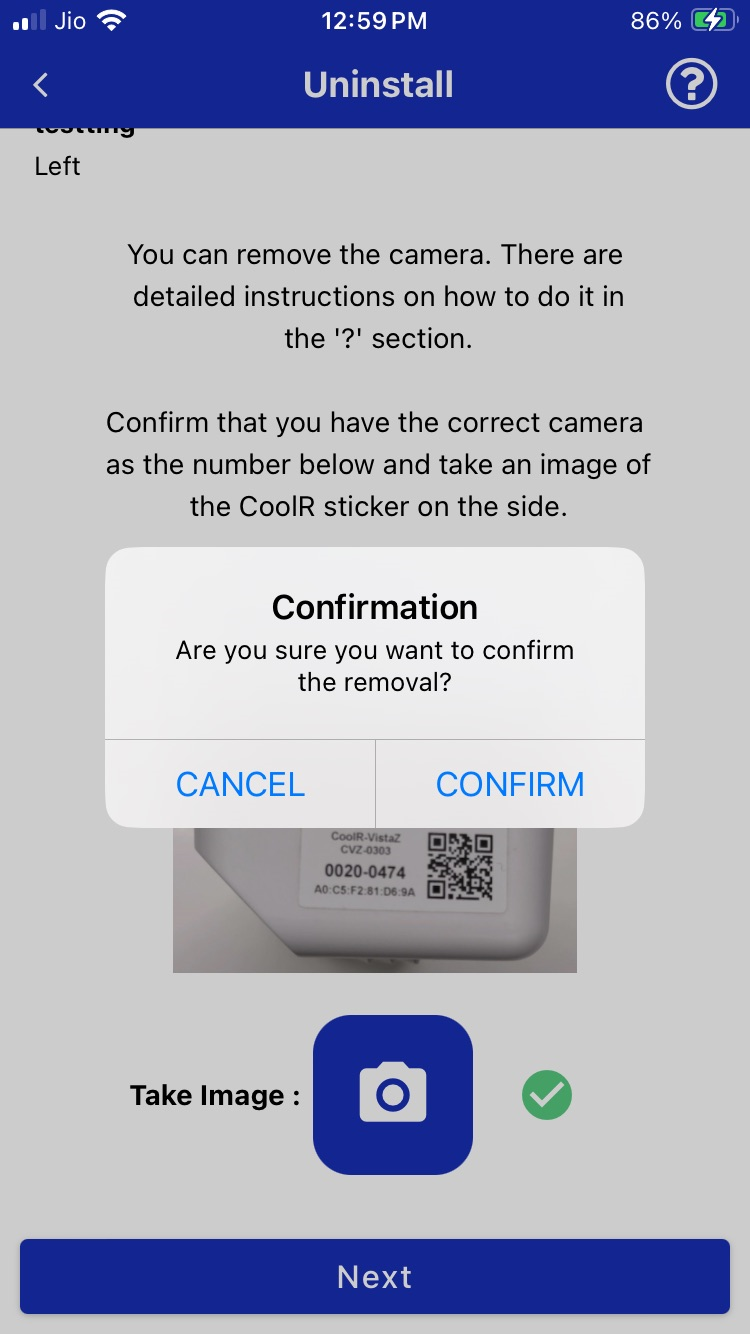
You will be guided to remove the camera safely. A confirmation popup appears asking whether you want to proceed with removal.
Make sure the serial number shown on-screen matches the label on the physical camera.
After confirmation, capture an image of the CoolR sticker to validate the device.
2. Command Execution
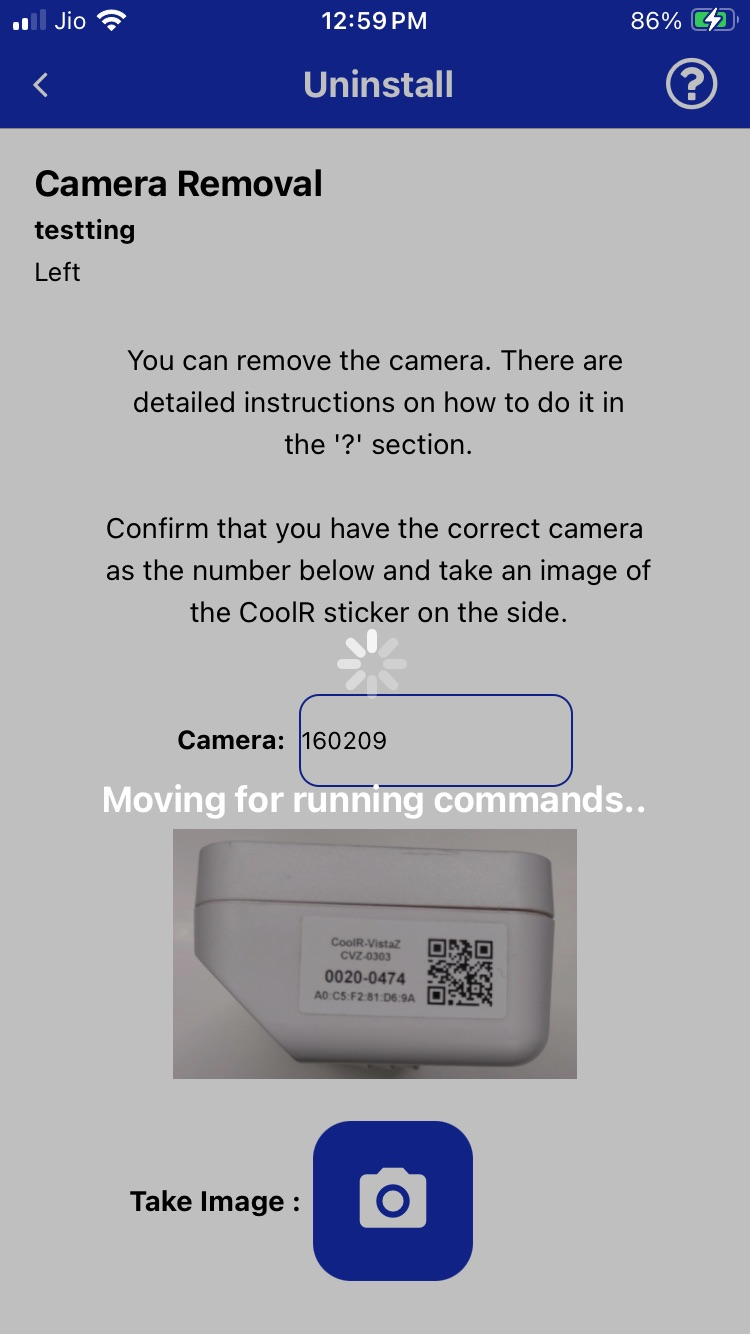
Once the removal is confirmed, the system automatically runs backend commands to unlink the camera from the server.
During this step, the app will display a loading message indicating that the commands are being executed.
3. Summary
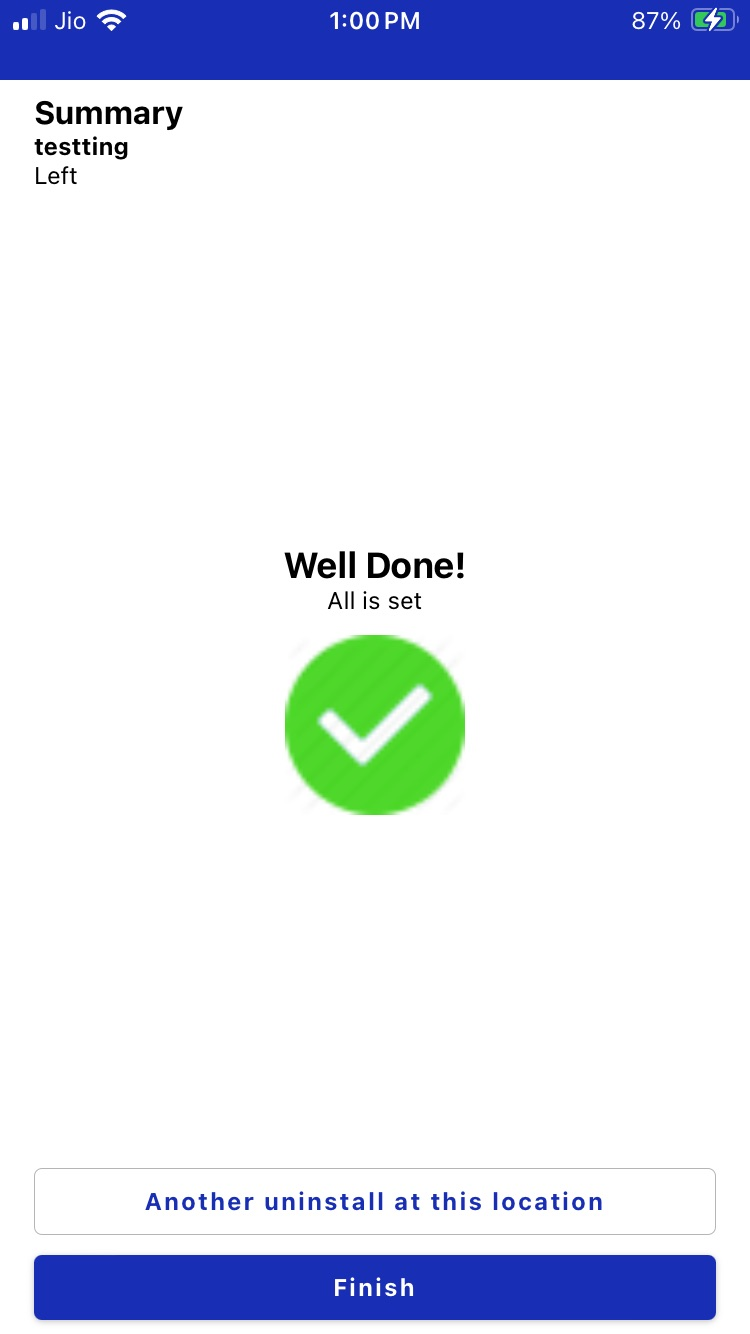
After a successful uninstall, a summary screen will confirm the process is complete.
You will see the message "Well Done! All is set", along with options to:
- Start another uninstall at the same location
- Finish and return to the main screen