Login
Sign in to the CoolR app with a one-time password (OTP) sent to your registered email address.
Sign in
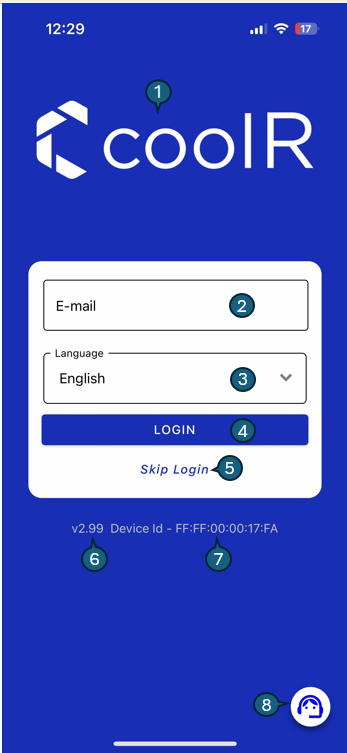
- Enter your registered email address.
- Choose your preferred language. The default is English.
- Tap Login to receive an OTP and open the verification screen.
- Enter the OTP from your email, then tap Login again.
- If the code does not arrive or has expired, tap Resend OTP.
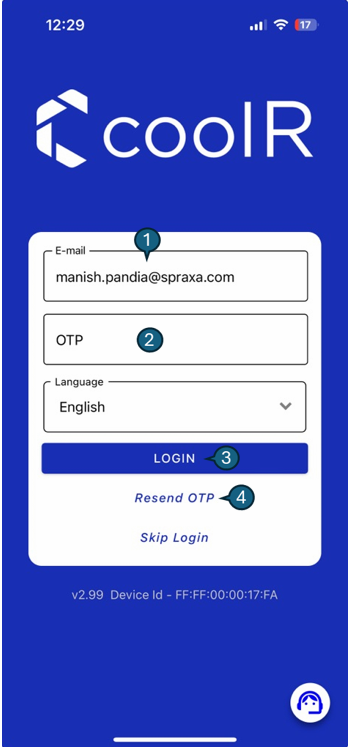
The email address is read-only on the OTP screen. Codes expire, and verification attempts are limited. See Passwordless authentication for code validity and session behavior.
Other controls
| Control | Purpose |
|---|---|
| Language | Choose the app's display language before signing in. |
| Skip Login | Access limited features when this option is enabled. |
| Help | Open support resources. |
| App Version | Identify the installed app version when contacting support. |
| Device ID | Identify the device when requesting support. |