Subscription
Subscriptions cover VistaZ, VistaZ Power, and OEM units (freezers or cabinets with integrated third-party cameras). Each subscription runs for at least one year from its start date and continues indefinitely unless you request an end date.
Subscription at a glance
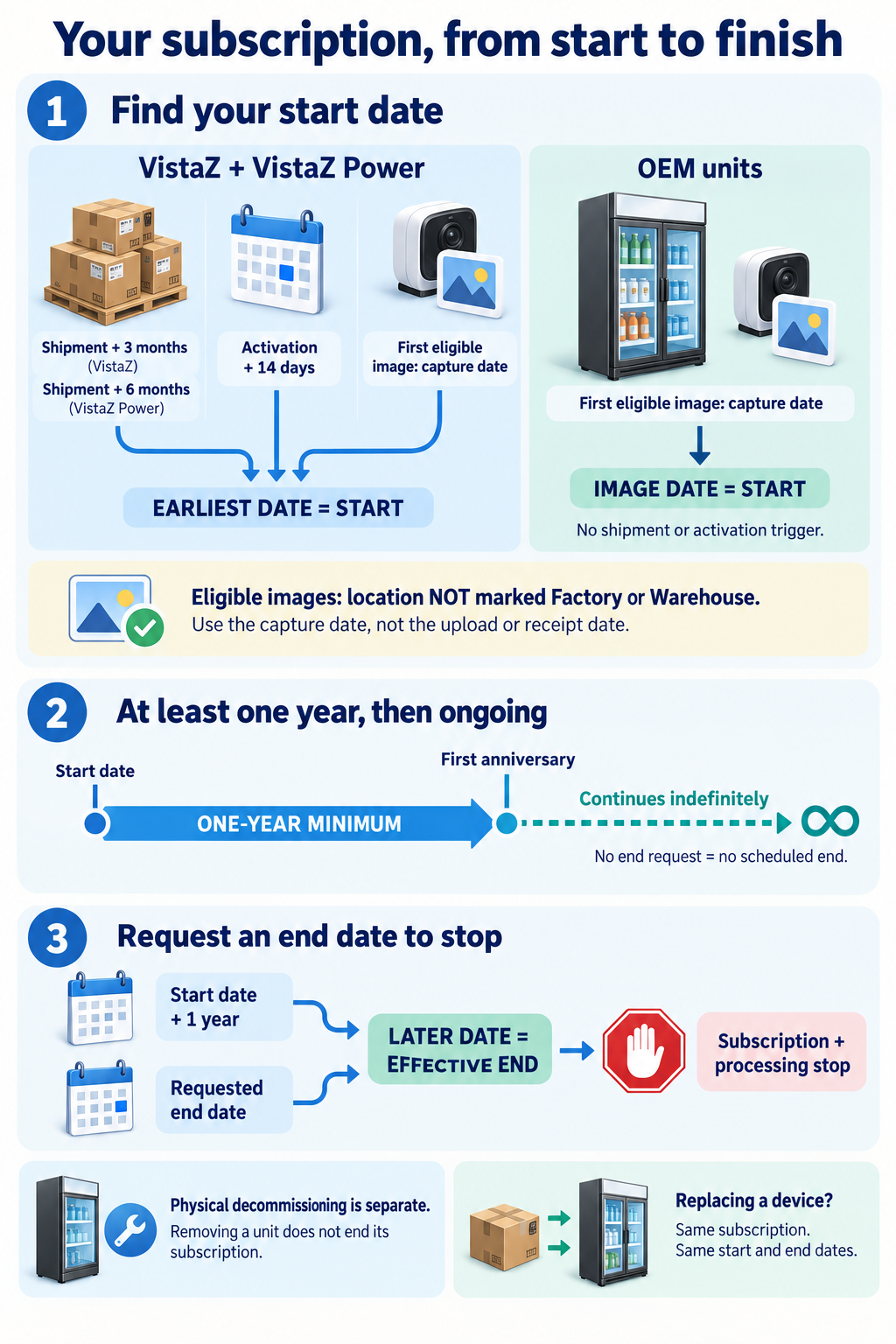
Select the infographic to view it at full size. The rules and examples below explain each step.
When does a subscription start?
VistaZ and VistaZ Power
The subscription starts on the earliest of these dates:
| Trigger | VistaZ | VistaZ Power |
|---|---|---|
| Shipment | Shipment date + 3 calendar months | Shipment date + 6 calendar months |
| Activation | Activation date + 14 days | Activation date + 14 days |
| First eligible image | Image capture date | Image capture date |
Activation means registering the device for asset tracking, typically in a warehouse before installation. The 14-day period allows time to complete installation.
The shipment-based date is the latest possible start date, even if the device is never activated or installed. Activation or an eligible image can bring the start date forward; neither can postpone it. An eligible image can start the subscription even without activation.
OEM units
An OEM subscription starts on the capture date of the first eligible image received. Shipment and activation dates do not trigger an OEM subscription because CoolR does not ship these units. Until an eligible image is received, the subscription does not start.
Which images are eligible?
An image is eligible only when captured at a location not marked as Factory or Warehouse. Images captured at locations marked as Factory or Warehouse do not trigger a subscription start.
The image's capture date, rather than its upload or receipt date, determines the image-based start date. A delayed upload can therefore establish an earlier start date.
When does a subscription end?
Subscriptions continue indefinitely unless you request an end date. There is no annual renewal action required.
The effective end date is the later of:
- One year after the subscription start date.
- Your requested end date.
There is no additional notice period. A request to end a subscription before its first anniversary does not shorten the one-year minimum term.
The subscription and associated processing stop on the effective end date. Physical decommissioning must be performed separately. Physically removing or decommissioning a unit does not replace the request to end its subscription.
Examples
Shipment dates below are January 1, 2026. All images described as eligible were captured at locations not marked as Factory or Warehouse.
| Unit | Events | Subscription start |
|---|---|---|
| VistaZ | Never activated or installed | April 1, 2026 — shipment + 3 months |
| VistaZ Power | Never activated or installed | July 1, 2026 — shipment + 6 months |
| VistaZ | Activated January 20; first eligible image captured February 15 | February 3, 2026 — activation + 14 days |
| VistaZ | Activated January 10; eligible image captured the same day | January 10, 2026 — image capture date |
| VistaZ Power | Activated August 1; no earlier eligible image | July 1, 2026 — shipment deadline already passed |
| OEM | Factory image captured January 10; first eligible image captured February 15 | February 15, 2026 — first eligible image capture date |
For a subscription starting February 3, 2026:
- A requested end date of October 1, 2026 results in an effective end date of February 3, 2027.
- A requested end date of June 30, 2027 results in an effective end date of June 30, 2027.
- Without an end-date request, the subscription continues indefinitely.
What happens when a device is replaced?
The existing subscription transfers to the replacement device, keeping the same start and end dates. Replacement does not create a new subscription or restart the minimum term.
How do I review or export subscriptions?
- Select a month in the Subscription Dashboard to view subscriptions active during that month.
- Click your organization's subscription count to view unit details: subscription type, device serial number, outlet code and name, asset serial number, and subscription start and end dates. Devices without an outlet assignment can also appear.
- Select Export to download the data using the current filters, including the selected month and client view.
A blank end date means the subscription has no scheduled end.