Overview
The Images screen lists processed images by location or asset. Select a location to review its images, or use Latest Image to browse images by date.
Layout
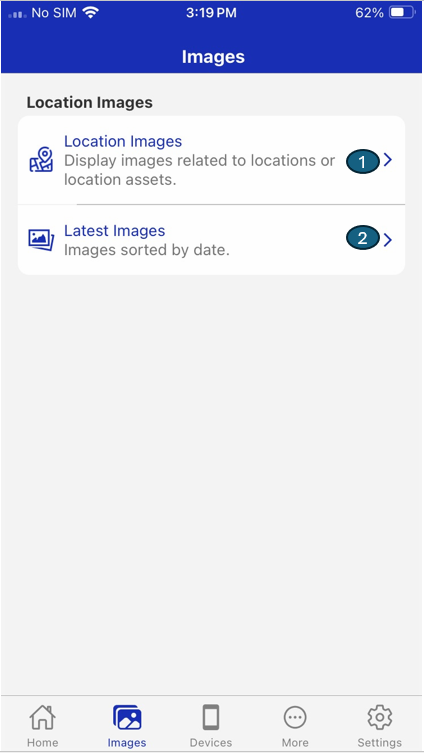
The Images layout is divided into key sections, each supporting a specific workflow:
| # | Section | Description |
|---|---|---|
| 1 | Location Image | Display images related to locations or location assets. |
| 2 | Latest Image | Images sorted by date. |